
Sim Local Review: Is It Worth It For Travelers?
If you’ve been traveling for more than five minutes, you’ve probably heard of eSIMs by now. And if you’ve been researching which one to use, you’ve probably ended up in a rabbit hole of options with no clear answer.
So let’s cut through it. This is a straight-up Sim Local review. What it is, how it works, who it’s for, and whether it’s worth your money (Spoiler: it is!).
What Is Sim Local?
Sim Local is a travel eSIM provider trusted by over 4 million customers worldwide. They offer coverage in 200+ destinations, meaning cities and regions across 150+ countries, so pretty much wherever you’re headed, they’ve got a plan for it.
But what actually sets them apart from the sea of other eSIM providers? Two things.
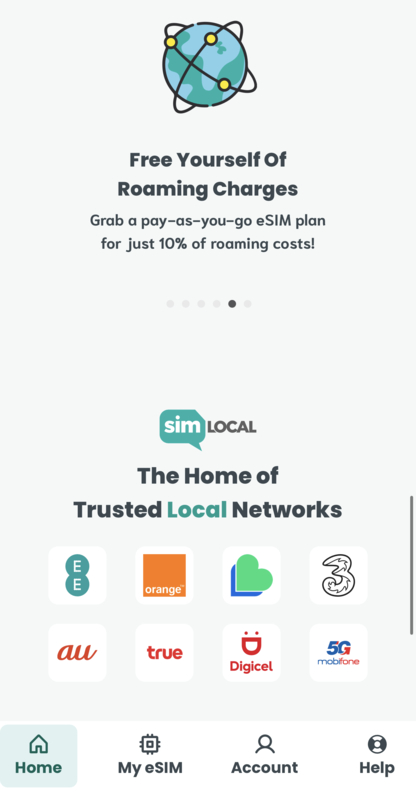
First, they connect you to real local networks, not generic reseller plans. We’re talking carriers like EE in the UK, Orange in Europe, True in Thailand, and AU by KDDI in Japan.

That matters because local network = local speeds. You’re not getting throttled on some third-party connection while everyone else around you has full bars.
Second, and this one genuinely surprised me, Sim Local offers calls and texts in a lot of destinations. Most eSIMs are data-only. Like, that’s just the norm.
Sim Local actually gives you a local number with calling and SMS on certain plans, which is a big deal if you need to make local calls while you’re abroad.
Is My Phone eSIM Compatible?
Before anything else, check this first. Most modern smartphones support eSIM, but not all.
Generally speaking, you’re good if you have an iPhone XS or newer, Samsung Galaxy S20 or newer, or Google Pixel 3 or newer AND it’s unlocked. But there are exceptions, so you can double-check here before you buy a plan.
RELATED: What’s The BEST International Data Plan? How to Get Data Abroad
Sim Local Plans & Coverage
This is where Sim Local is genuinely flexible, and it’s worth understanding how the plans work so you buy the right one for your trip.
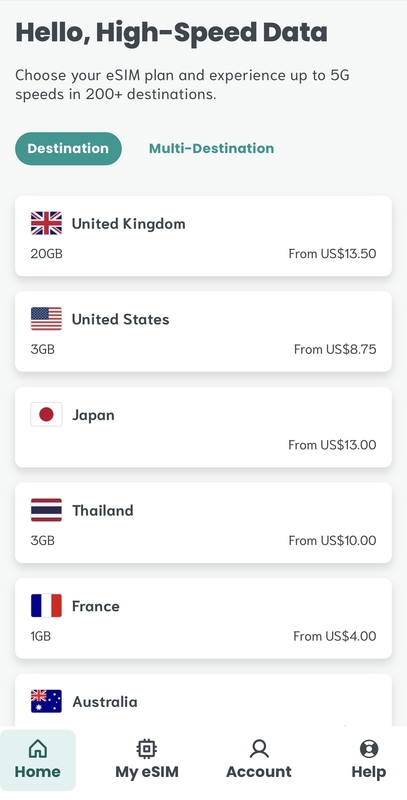
You can go three routes:
- Single country plans — you’re going to one place, you grab a plan for that place. Simple.
- Regional plans — covers multiple countries under one plan. Europe, Asia, North America, etc.
- Global plans — works basically anywhere in the world that has data service.
Plans come in both data-only and data + calls & texts options depending on the destination. You can also choose between capped data (per GB) or unlimited, again depending on where you’re going.
Prices start from around $4 for a small single-country plan and go up from there depending on data amount, duration, and coverage area.
Which Plan Do You Actually Need?
Here’s how I’d think about it:
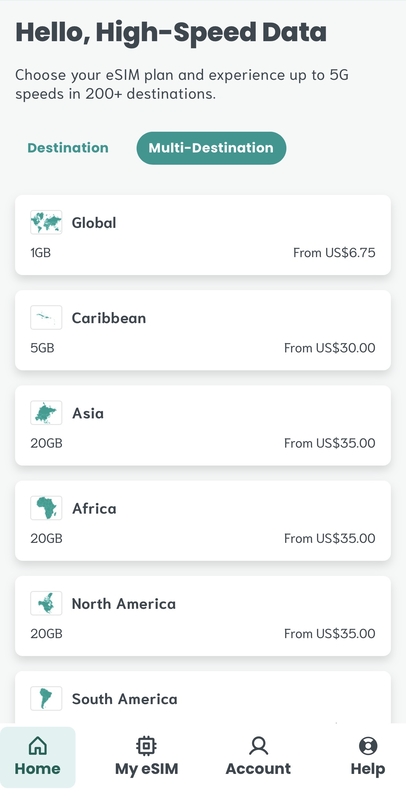
- Doing a Europe trip and country-hopping? Don’t bother buying a separate plan for each country. Grab the regional Europe plan, toss it on your phone before you leave, and forget about it. You’ll cross borders and your data just… keeps working.
- Heading somewhere remote like Nepal for a trekking trip? You’re not going to have service half the time you’re in the mountains anyway. Grab a smaller, cheaper plan. It’s still worth having for before and after getting lost in the wild.
- Long-term travel or slow travel in one country? I usually buy an eSIM package that lasts a week or two until I get a local one.
- Short trip to a major city? A small per-GB plan is probably all you need. You’ll likely be on WiFi half the time anyway.
How to Set Up Sim Local
Setup is simple. Here’s how it goes:

- Buy your plan on the Sim Local website or app (Don’t forget your discount code: NINA10 for 10% off)
- You’ll get a QR code via email (or through the app)
- On iPhone: go to Settings → Cellular → Add eSIM → Use QR Code. Scan it and you’re done.
- On Android: it varies slightly by device but it’s the same general idea — Settings → Connections → SIM Manager → Add eSIM
- Set it as your data line, keep your regular SIM for your home number, and you’re connected
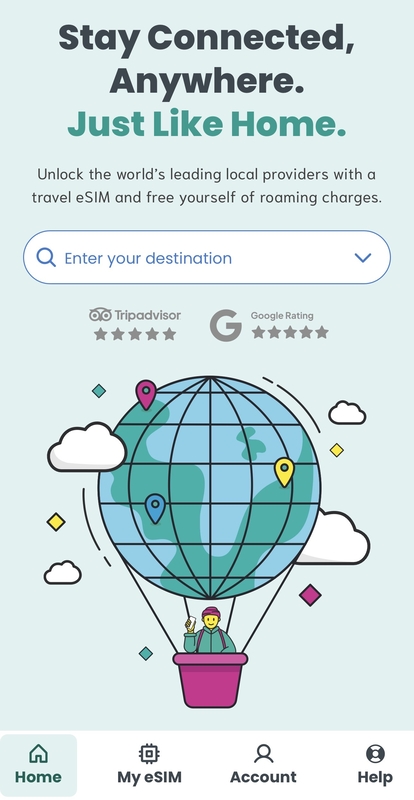
The Sim Local app makes this even faster with one-click downloads, and you can manage multiple plans and check your data usage all in one place. Handy if you’re grabbing different plans as you move between regions.
One thing I always tell people: set it up before you land. You can activate the plan ahead of time so by the time you’re off the plane and collecting your bags, you’re already connected. No hunting for airport WiFi, no waiting in line at a SIM kiosk.
Speaking of which, Sim Local actually HAS physical airport stores if you ever need in-person help. Which is kind of wild for an eSIM company. You’ll never need them (that’s the whole point of an eSIM), but it’s good to know the option exists.
Sim Local Pros & Cons
Pros
- Connects to real local networks for better speeds (not generic reseller plans)
- 200+ destinations covered — single country, regional, and global plans available
- Calls and texts included on many plans — genuinely rare for eSIMs
- App makes setup and management easy, especially across multiple trips
- No-quibble refund policy if you change your mind
- 24/7 customer support via WhatsApp
- Up to 5G speeds where available
- All plans include hotspot and tethering (this comes in clutch!)
- Can hold multiple eSIM plans on your phone and switch between them
Cons
- Calls and texts aren’t available in every destination. Check before you buy if that matters to you
- Unlimited plans aren’t available everywhere, so some destinations are data-cap only
- Pricing varies a lot by destination, worth comparing if you’re budget-conscious
READ MORE: 7 BEST International eSIMs for Data Abroad
Who Is Sim Local Best For?
Honestly, most travelers. But specifically:
- Multi-country travelers who don’t want to juggle a different SIM for every country
- People who need to make local calls abroad and can’t just rely on WhatsApp or Facetime
- Long-term travelers and digital nomads who need reliable data in more than just the tourist hotspots
- First-time eSIM users — the setup is simple enough that you don’t need to be tech-savvy
- Anyone who hates roaming charges (sooo… everyone!)
Sim Local Review: Is It Worth It?
Yes. Sim Local is a legit, reliable eSIM option and the real local network partnerships mean you’re actually getting good speeds, not just data that technically works but crawls whenever you need it most.
The calls and texts feature is a genuine differentiator. Most eSIMs don’t offer that, and if you travel somewhere where you need a local number, it’s a big deal.
The coverage is solid, setup takes minutes, and the pricing is competitive. There’s not much to complain about.
If you’re ready to grab a plan, use code NINA10 at checkout for 10% off. Browse Sim Local plans here and pick what works for your trip.
